Chapter 6: レポートプレビュー
簡易レポート・完全レポート、PDF エクスポート
レポート画面の概要
レポート画面では、診断結果をレポート形式でプレビューできます。レポートの内容はエディション(Free / Pro)によって異なります。
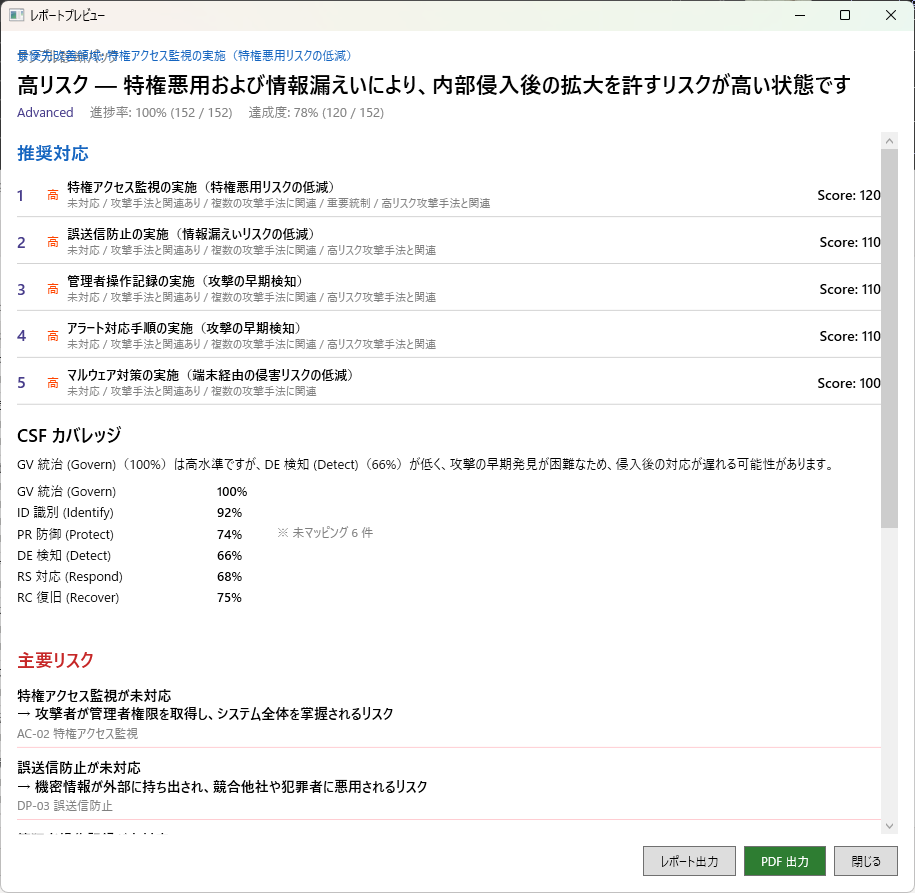
簡易レポート(Free 版)
Free 版では、診断結果の概要を簡易レポートとして画面上でプレビューできます。簡易レポートには以下の内容が含まれます。
- 診断の概要(診断日時、回答数、総合スコア)
- 対応候補(上位の改善項目)
- 攻撃シナリオの概要評価
- IPA ガイドラインを参考にした対応状況
Free 版では画面上でのプレビューのみ利用可能です。PDF ファイルとしてエクスポートするには Pro 版が必要です。
完全レポート(Pro 版) Pro
Pro 版では、経営層や監査対応に使用できるコンサルタントレベルの完全レポートを生成できます。完全レポートには、簡易レポートの内容に加えて以下が含まれます。
- 弱点マップの詳細分析
- 各攻撃シナリオのステップごとの防御評価
- ATT&CK テクニックとの対応関係
- 経産省サイバーセキュリティ経営ガイドラインを参考にした対応状況
- NIST CSF 2.0 を参考にした対応状況
- 対応候補の全体像
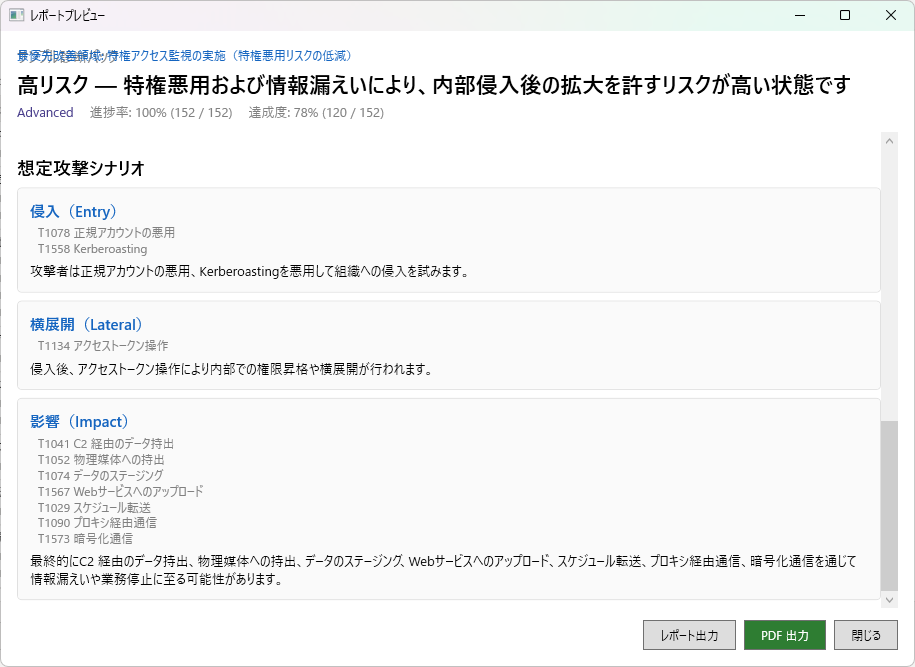
PDF エクスポート Pro
Pro 版では、レポートを PDF ファイルとしてエクスポートできます。エクスポートされた PDF は、経営層への報告、社内会議での共有、監査対応の資料として利用できます。
- レポートプレビュー画面で内容を確認します。
- 画面上部の「PDF エクスポート」ボタンをクリックします。
- 保存先を選択すると、PDF ファイルが生成されます。
PDF エクスポートには WebView2 Runtime が必要です。通常は Windows に同梱されていますが、環境によっては別途インストールが必要な場合があります。詳しくはトラブルシューティングを参照してください。
Chapter 6: Report Preview
Simplified and full reports, PDF export
Report Screen Overview
The Report screen lets you preview assessment results in a report format. The report content varies depending on your edition (Free or Pro).
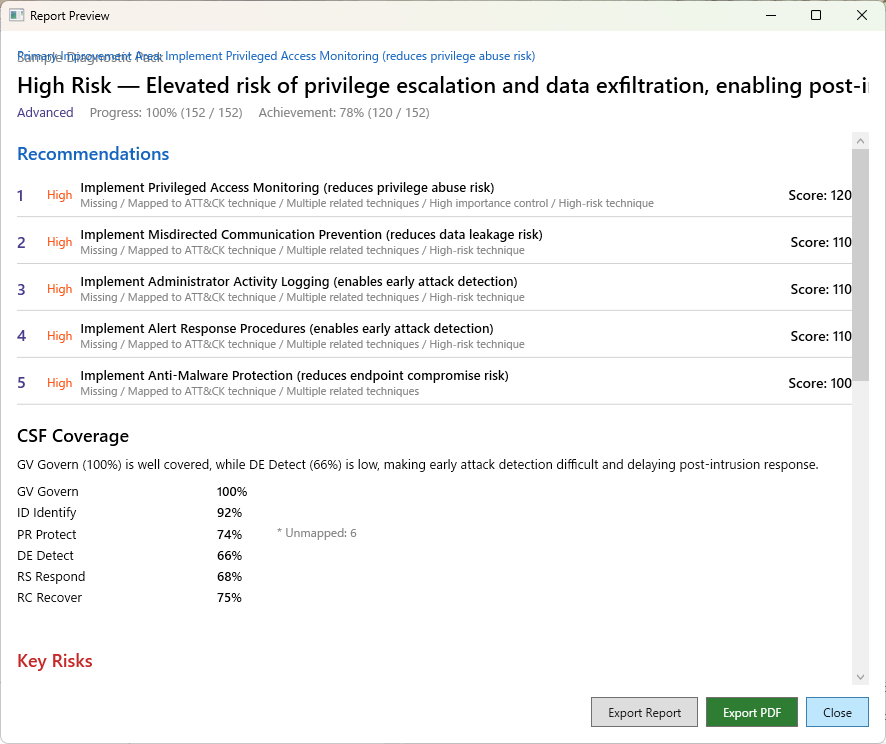
Simplified Report (Free Edition)
The Free edition provides an on-screen preview of the assessment results as a simplified report. The simplified report includes:
- Assessment overview (date, number of responses, overall score)
- Suggested actions (top improvement items)
- Attack scenario overview ratings
- Status using IPA Guidelines as reference material
The Free edition only supports on-screen preview. Exporting as a PDF file requires the Pro edition.
Full Report (Pro Edition) Pro
The Pro edition generates a consultant-grade full report suitable for executive presentations and audit responses. In addition to the simplified report content, the full report includes:
- Detailed weakness map analysis
- Step-by-step defense evaluation for each attack scenario
- ATT&CK technique mappings
- Status using METI Cybersecurity Management Guidelines as reference material
- Status using NIST CSF 2.0 as reference material
- Complete action planning view
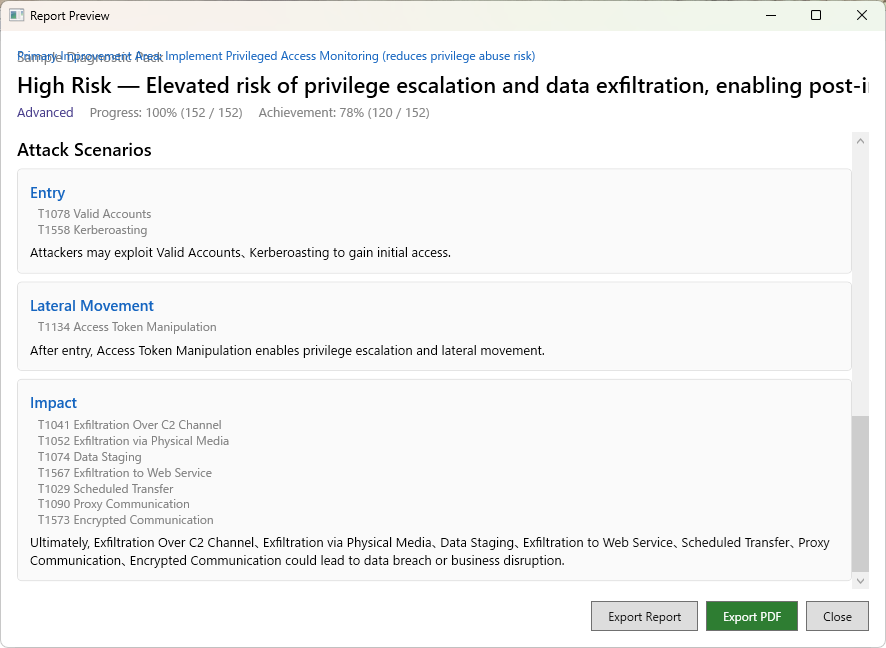
PDF Export Pro
The Pro edition allows you to export reports as PDF files. The exported PDF can be used for executive presentations, internal meetings, and audit documentation.
- Review the content on the Report preview screen.
- Click the "PDF Export" button at the top of the screen.
- Select a save location and the PDF file will be generated.
PDF export requires the WebView2 Runtime. It is typically bundled with Windows, but may need to be installed separately in some environments. See Troubleshooting for details.