Chapter 5: 攻撃ビュー
シナリオ詳細、攻撃パス可視化、ATT&CK マトリクス
攻撃ビュー画面の概要
攻撃ビュー画面は、各攻撃シナリオを詳細に確認するための画面です。結果画面の攻撃シナリオテーブルからシナリオを選択するか、ナビゲーションバーから直接アクセスできます。
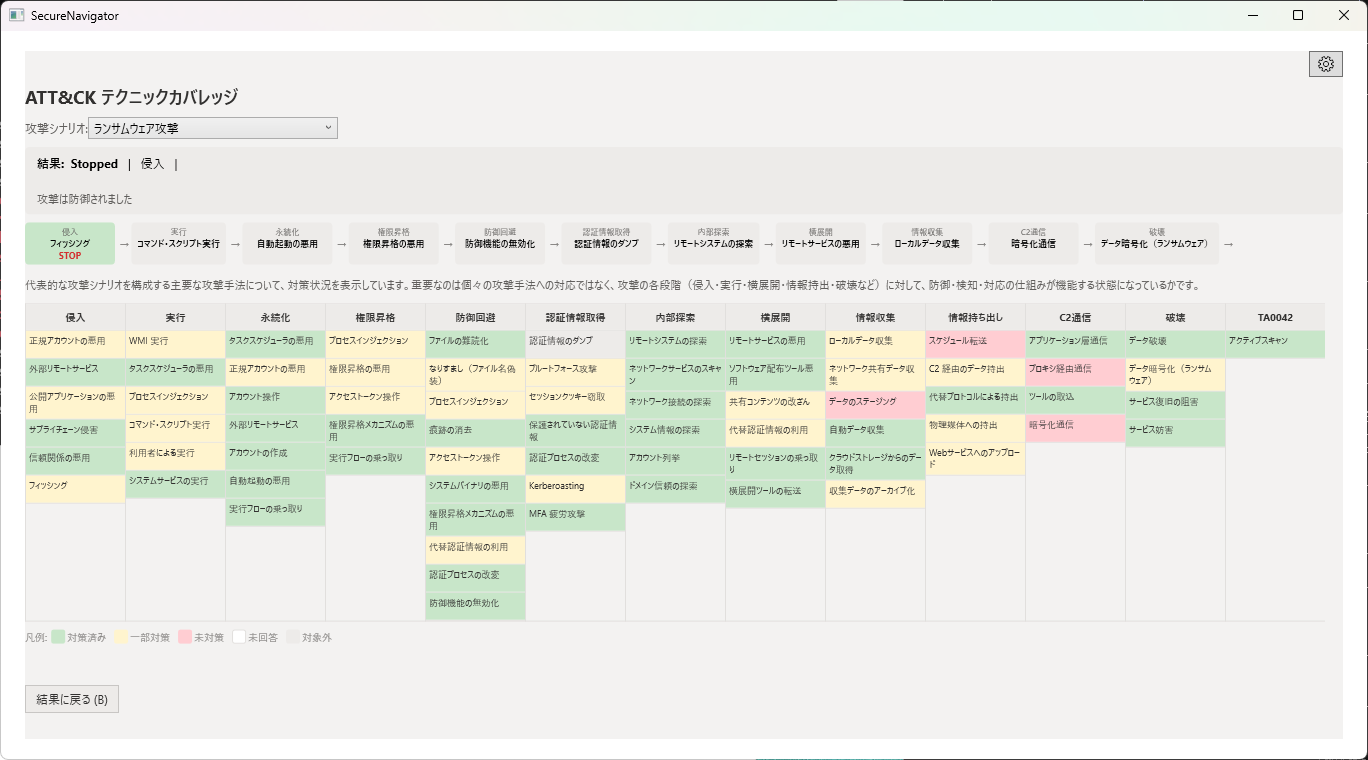
シナリオの選択と詳細
SecureNavigator は6つの代表的な攻撃シナリオを備えています。画面左側のシナリオ一覧から確認したいシナリオを選択すると、右側にその詳細が表示されます。
各シナリオの詳細には以下の情報が含まれます。
- シナリオ概要: 攻撃者の目的と手法の説明。
- 攻撃ステップ: 攻撃の各段階(初期アクセス、権限昇格、横移動、目的達成など)を順に表示。
- 各ステップの防御状況: そのステップに対応する対策の実施状況と、防御の有効性を示す評価。
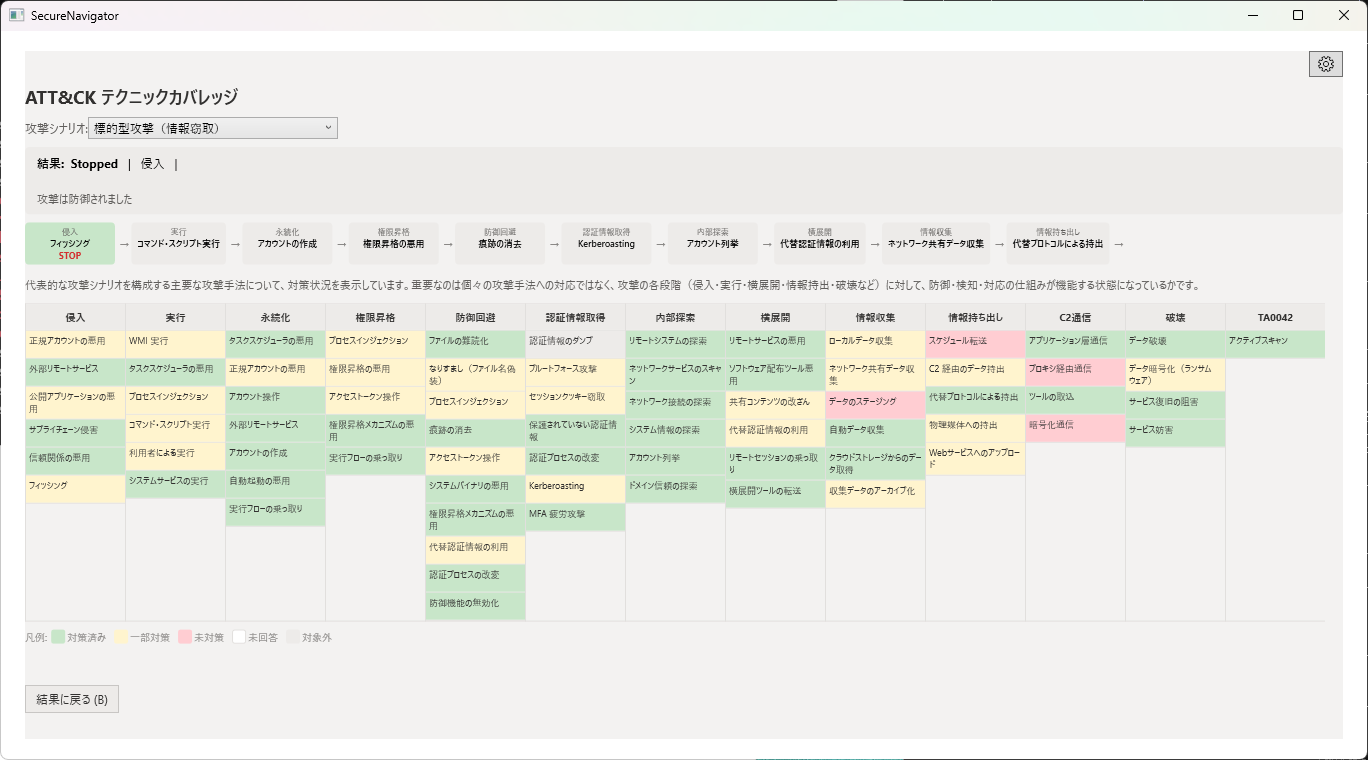
攻撃パスの可視化
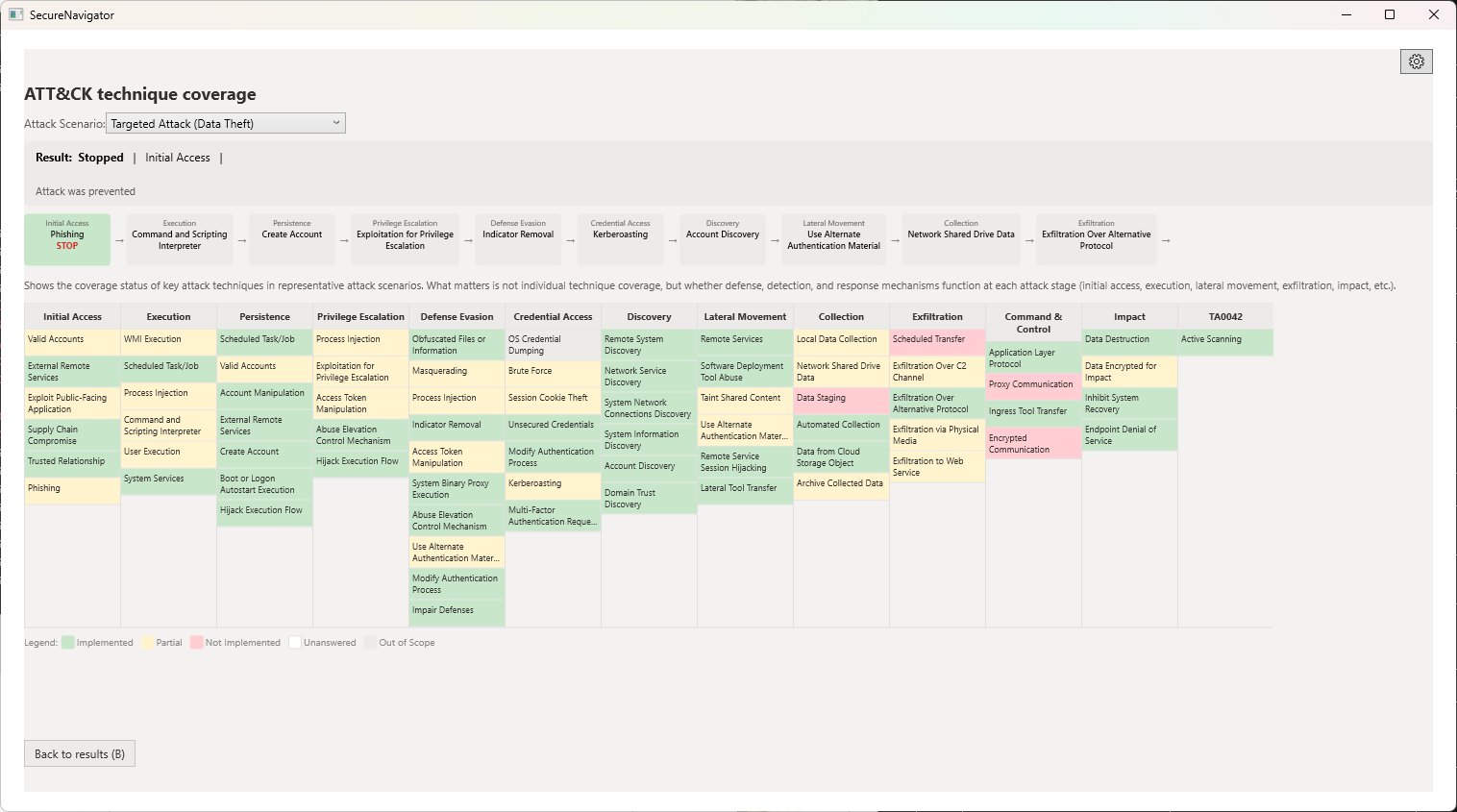
各シナリオでは、攻撃者が最初の侵入から最終目的の達成までにたどるパス(経路)が可視化されます。防御が弱いステップは赤系の色で強調され、対策が有効なステップは緑系の色で表示されます。
攻撃パスを確認することで、「どのステップで攻撃を止められるか」「どこが突破されやすいか」を視覚的に把握できます。
ATT&CK テクニック詳細分析 Pro
Pro 版では、各攻撃ステップに関連する MITRE ATT&CK テクニックの詳細情報を確認できます。各テクニックの ID、名称、説明、および対策との対応関係が表示されます。
ATT&CK マトリクスビューでは、組織の診断結果を MITRE ATT&CK フレームワークのマトリクス形式にマッピングして表示します。カバーされているテクニックとカバーされていないテクニックが色分けされ、防御のカバレッジを一目で確認できます。
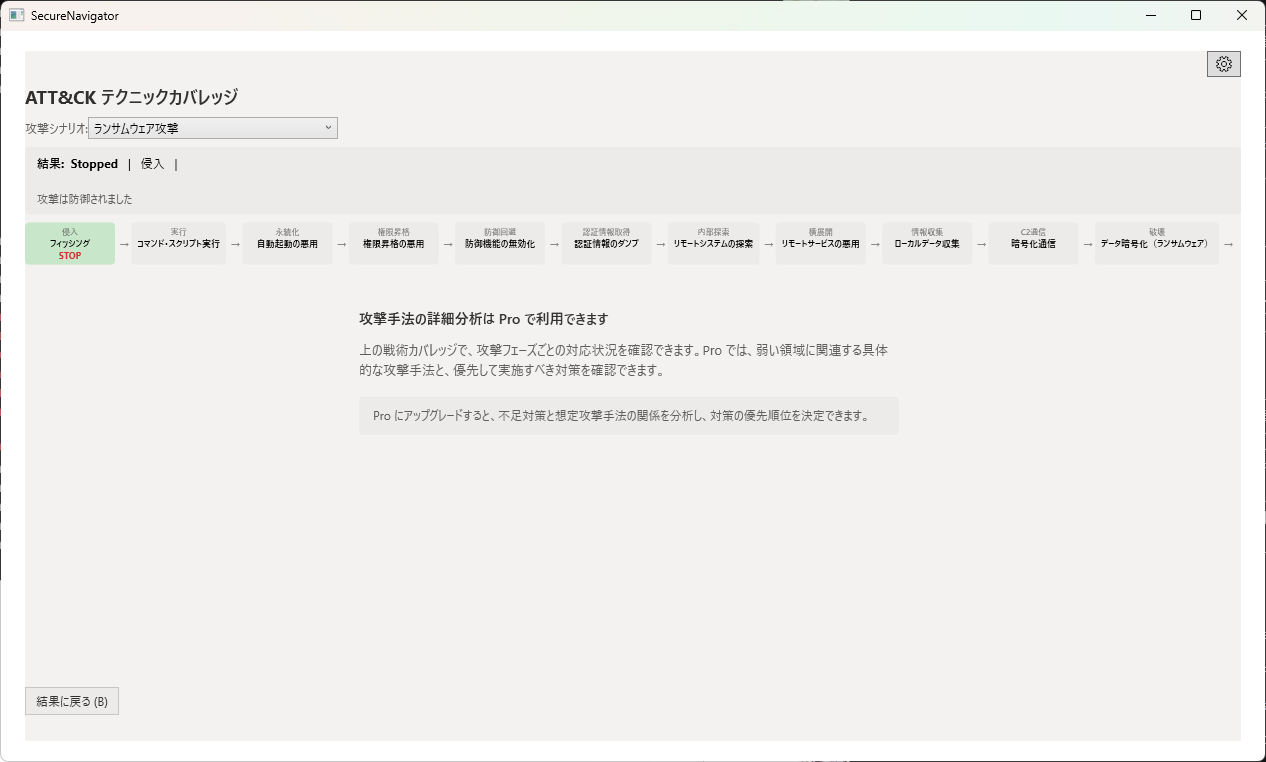
ATT&CK テクニック詳細分析と ATT&CK マトリクスビューは Pro 版のみの機能です。Free 版では攻撃シナリオの概要と各ステップの防御状況まで確認できます。
Chapter 5: Attack View
Scenario detail, attack path visualization, ATT&CK matrix
Attack View Overview
The Attack View screen provides detailed examination of each attack scenario. You can access it by selecting a scenario from the attack scenarios table on the Results screen, or directly from the navigation bar.
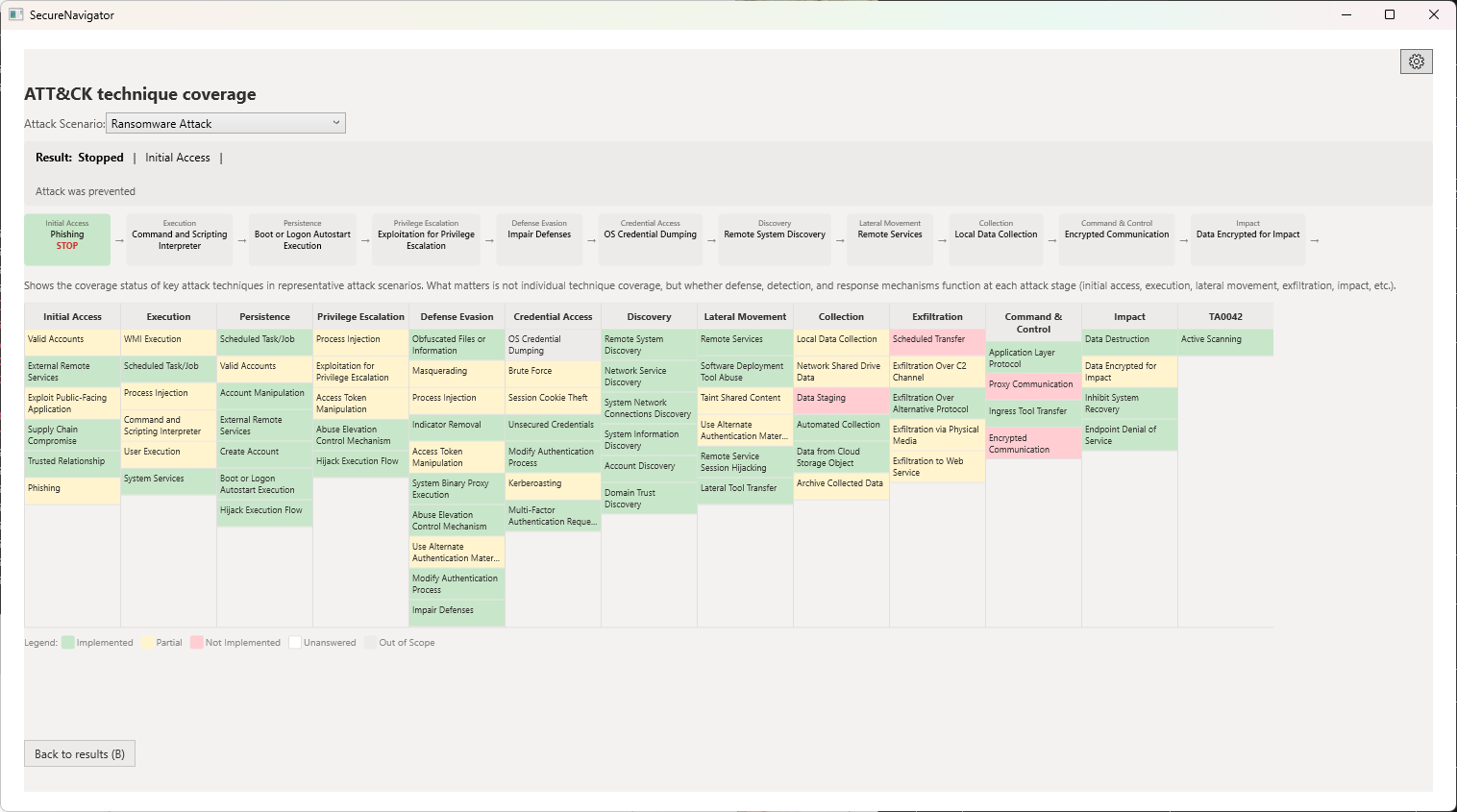
Scenario Selection and Detail
SecureNavigator includes 6 representative attack scenarios. Select a scenario from the list on the left side to view its details on the right.
Each scenario detail includes the following information:
- Scenario overview: Description of the attacker's objectives and methods.
- Attack steps: Each phase of the attack (initial access, privilege escalation, lateral movement, objective achievement, etc.) displayed in sequence.
- Defense status per step: Implementation status of controls corresponding to each step and an effectiveness rating.
Attack Path Visualization
Each scenario visualizes the path an attacker takes from initial intrusion to achieving their final objective. Steps with weak defenses are highlighted in red tones, while steps with effective controls are shown in green tones.
By reviewing attack paths, you can visually understand where an attack can be stopped and where it is most likely to break through.
ATT&CK Technique Detail Analysis Pro
The Pro edition provides detailed MITRE ATT&CK technique information for each attack step. Technique IDs, names, descriptions, and mappings to relevant controls are displayed.
The ATT&CK matrix view maps your assessment results onto the MITRE ATT&CK framework in matrix format. Covered and uncovered techniques are color-coded, allowing you to see your defense coverage at a glance.
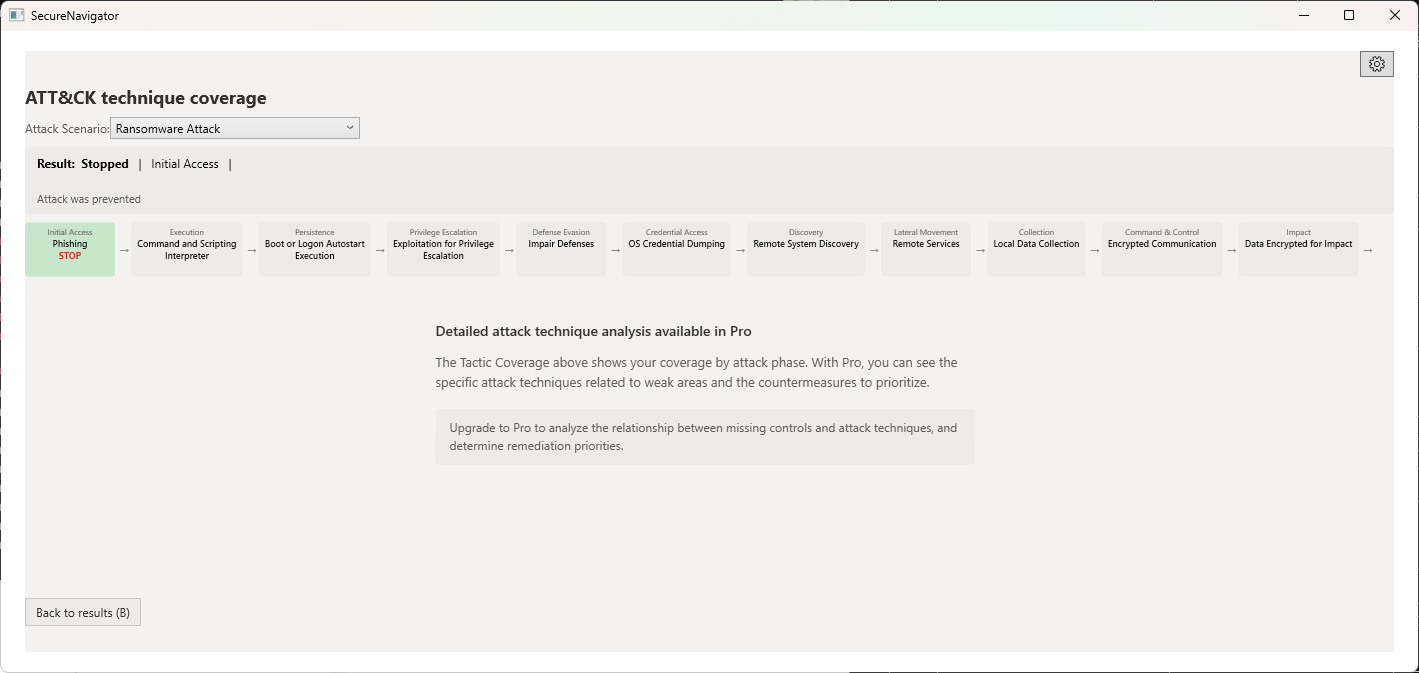
ATT&CK technique detail analysis and the ATT&CK matrix view are Pro-only features. The Free edition allows you to view attack scenario overviews and defense status per step.