Chapter 3: 質問への回答
カード UI、回答選択肢、ナビゲーション、表示モード
ヒアリング画面の概要
ヒアリング画面では、組織のセキュリティ対策に関する質問が表示されます。質問はテーマごとにグループ化されており、各テーマ内の質問に順番に回答していきます。すべての質問に回答すると、結果画面に進むことができます。
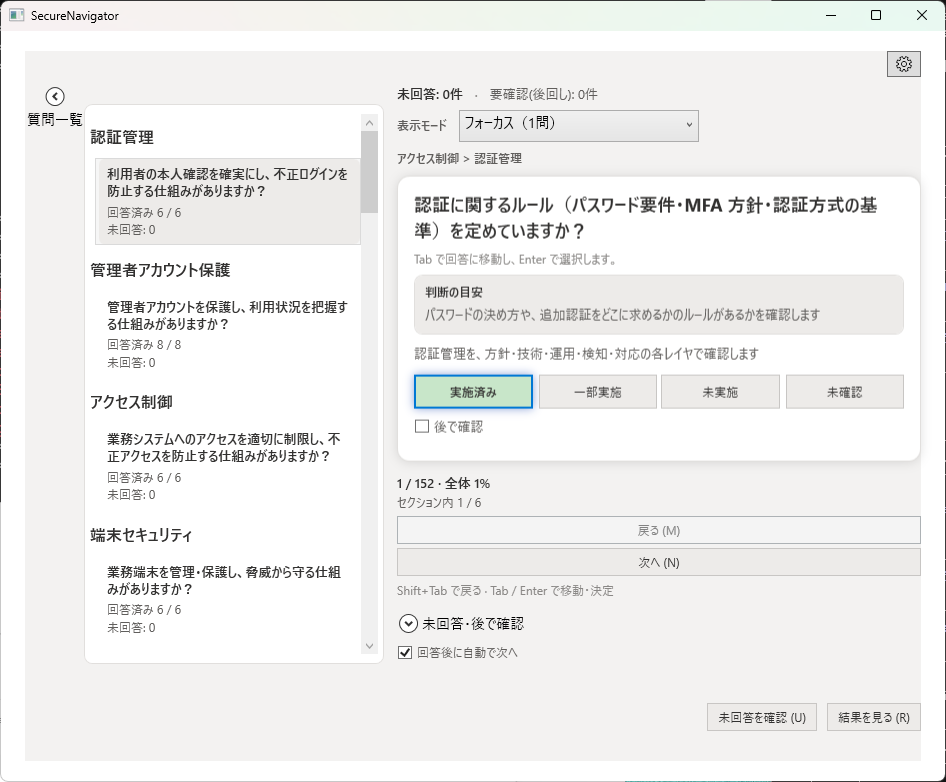
カード UI
各質問はカード形式で表示されます。カードには質問テキスト、所属するテーマ名、および回答選択肢が含まれます。現在の質問に回答すると、自動的に次の質問に進みます。
回答選択肢
各質問に対して、以下の4つの選択肢から回答を選びます。
| 選択肢 | 意味 |
|---|---|
| 実施済み | 対策が組織内で導入・運用されている。 |
| 一部実施 | 対策は部分的に導入されているが、全体には行き渡っていない。 |
| 未実施 | 対策が導入されていない。 |
| 未確認 | 対策の実施状況が不明。確認が必要な場合に選択。 |
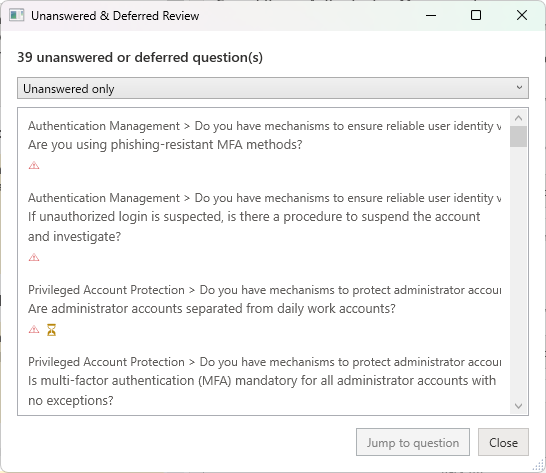
「未確認」を選択した質問は、後から見直すために自動的にマークされます。すべての質問に回答した後で、未確認の項目だけを絞り込んで確認できます。
ナビゲーション
ヒアリング画面では、以下の方法で質問間を移動できます。
- 前へ / 次へボタン: 画面下部のボタンで、前の質問や次の質問に移動します。
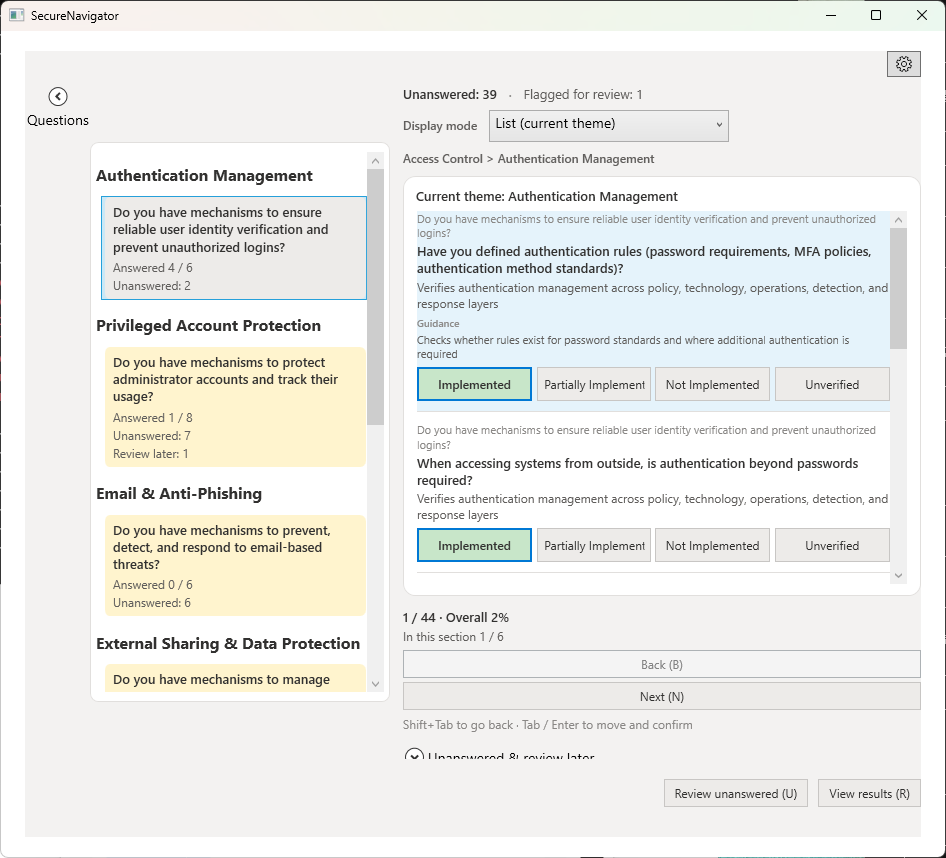
- アウトラインパネル: 画面左側にテーマと質問の一覧が表示されます。任意の質問をクリックして直接ジャンプできます。回答済みの質問にはチェックマークが表示されます。
- 進捗バー: 画面上部に全体の進捗率が表示されます。
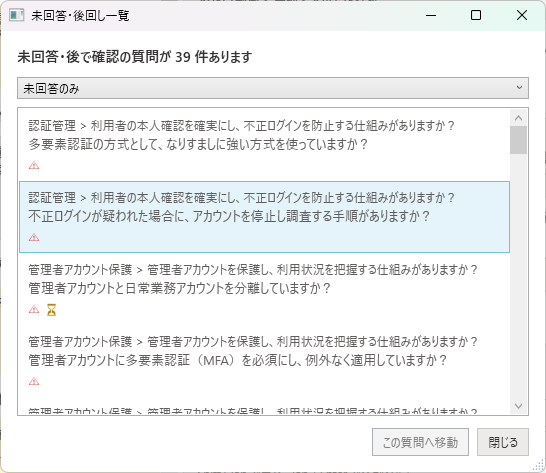
表示モード
ヒアリング画面には2つの表示モードがあります。
フォーカスモード
1つの質問だけを画面中央に大きく表示するモードです。集中して1問ずつ回答したい場合に適しています。初期設定ではこのモードが選択されています。
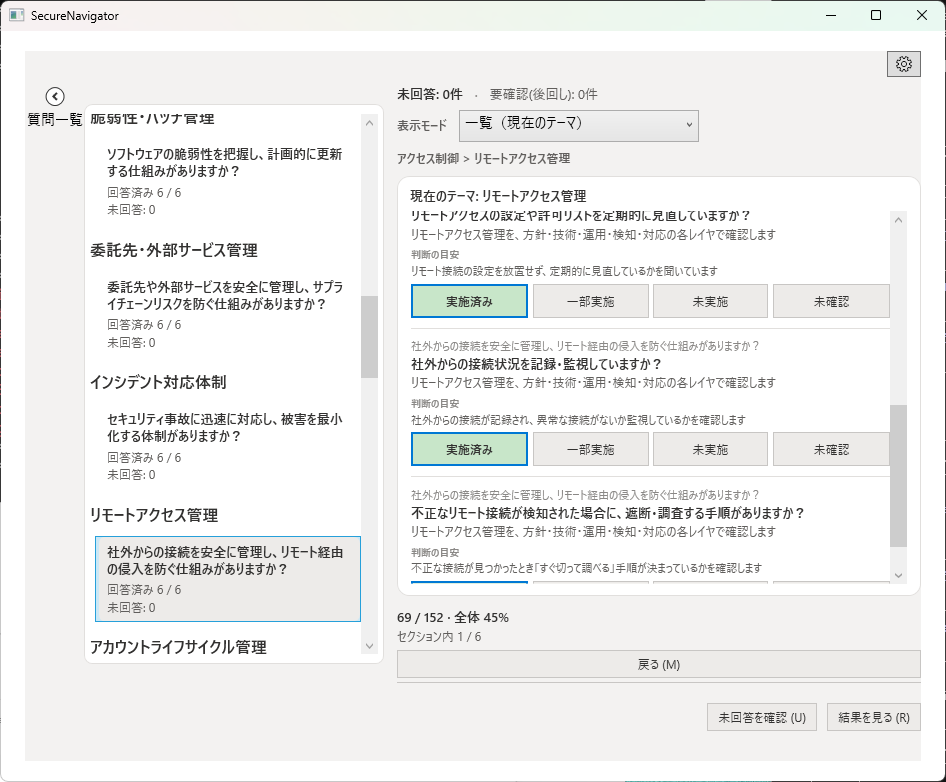
リストモード
同じテーマ内の質問を一覧形式で表示するモードです。複数の質問をまとめて確認・回答したい場合や、回答の全体像を把握したい場合に便利です。
「あとで見直す」機能
回答に自信がない質問や、後で担当者に確認したい質問には、「あとで見直す」マークを付けることができます。マークされた質問はアウトラインパネルで目印が表示され、フィルタリングで絞り込むことも可能です。
「未確認」を選択した質問には自動的にこのマークが付与されます。手動でマークを付けたり外したりすることもできます。
Chapter 3: Answering Questions
Card UI, answer options, navigation, display modes
Hearing Screen Overview
The Hearing screen presents questions about your organization's security controls. Questions are grouped by theme, and you answer each question within a theme sequentially. Once all questions are answered, you can proceed to the Results screen.
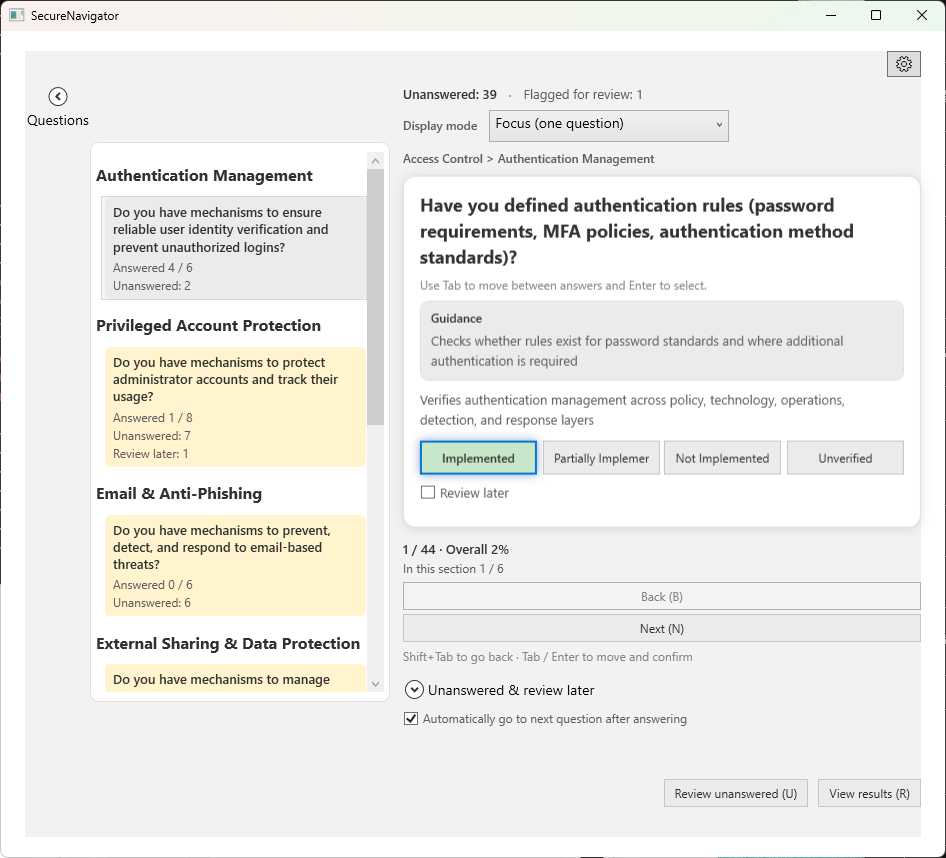
Card UI
Each question is displayed as a card. The card contains the question text, the theme it belongs to, and the answer options. When you answer the current question, the next question is automatically displayed.
Answer Options
For each question, select one of the following four options.
| Option | Meaning |
|---|---|
| Implemented | The control has been deployed and is operational within the organization. |
| Partial | The control is partially in place but not fully deployed across the organization. |
| Not Implemented | The control has not been deployed. |
| Unverified | The implementation status is unknown and requires verification. |
Questions answered as "Unverified" are automatically flagged for review. After answering all questions, you can filter to show only unverified items.
Navigation
The Hearing screen provides multiple ways to navigate between questions.
- Back / Next buttons: Use the buttons at the bottom of the screen to move to the previous or next question.
- Outline panel: A list of themes and questions is shown on the left side. Click any question to jump directly to it. Answered questions display a check mark.
- Progress bar: The overall completion percentage is shown at the top of the screen.
Display Modes
The Hearing screen offers two display modes.
Focus Mode
Displays one question at a time in the center of the screen. This mode is ideal for concentrating on each question individually. It is selected by default.
List Mode
Displays all questions within the same theme in a list format. This mode is useful when you want to review or answer multiple questions at once, or get an overview of all responses within a theme.
Review Later
You can flag questions you are unsure about or need to confirm with a colleague by marking them for review later. Flagged questions are indicated in the outline panel and can be filtered for quick access.
Questions answered as "Unverified" are automatically flagged. You can also manually add or remove the flag on any question.